Everything in the app.
Five tabs: Market, Inbox, Post, Social and Dash. Here is what each one does, with the screens as they are in the app.
Every card for sale within 25 miles.
For Sale shows one row per card: how many sellers have it, the lowest price, and the market price beside it. Flip to Buy to see what collectors near you are hunting, and sell straight to them.
- Trending cards and the best deals by percent of market.
- Search any card, with recent searches and suggestions.
- A seller's area on a map, blurred to about a mile. Never a street.
- Block someone and they vanish from your lists, both ways.
Scan to sell. The price is already filled in.
Put your card in the frame and tap. Rippers identifies the card, its set and printing, and shows its market value. Tap List and the listing form is filled in from the scan. English and Japanese cards both work.
- Pick the printing (Holofoil, Reverse Holo, Normal) and the price moves with it.
- Scan a stack of cards and list them as separate listings, or as one lot.
- Recent scans wait in a sheet under the camera until you're ready.
- Nothing from a scan leaves the phone until you choose to list it.
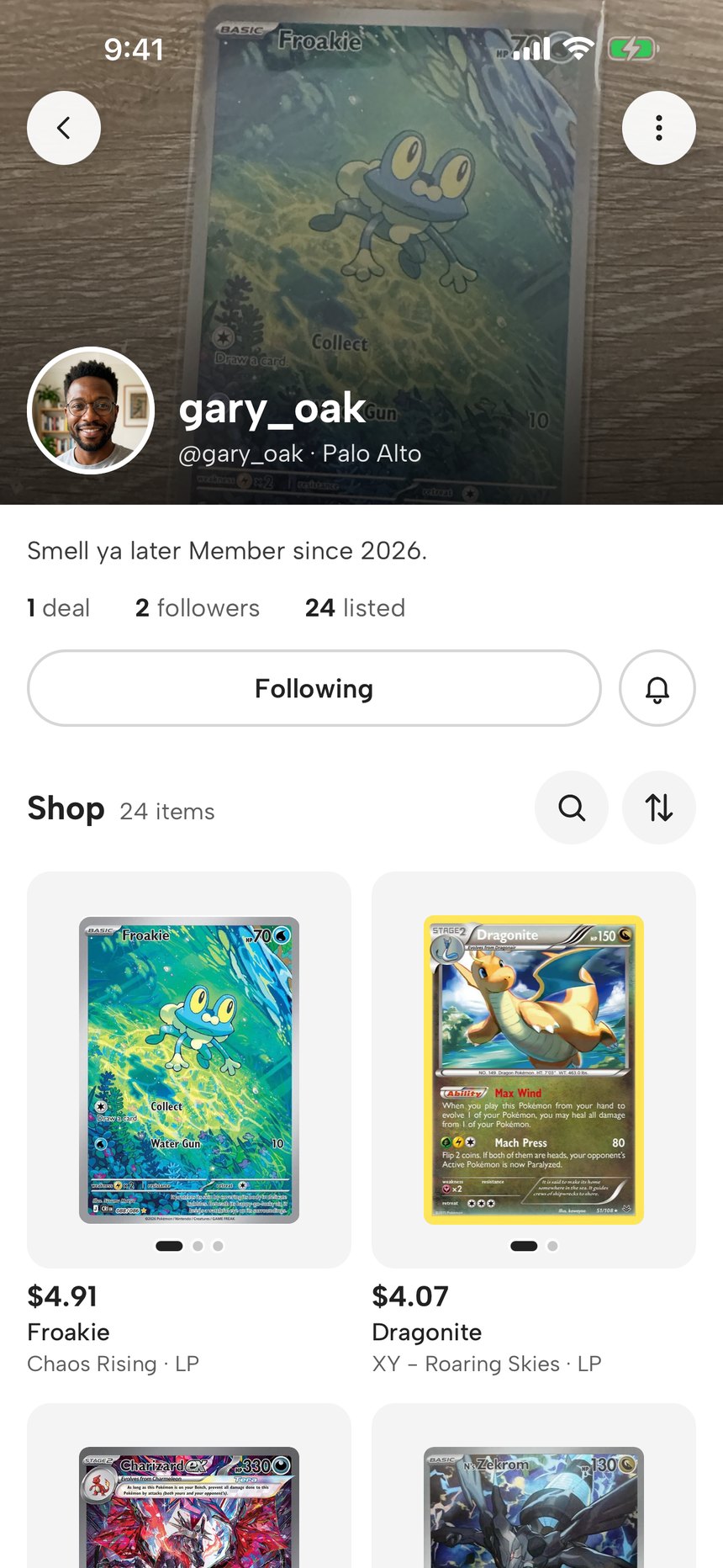
Every collector has a shop.
Your listings sit on a shelf, with your name, your city and your stars. Collectors nearby browse it, follow it, and message you about a card. Following a person and following their shop are the same thing, and it's instant.
- A cover photo and a profile photo, changed from the Dash.
- Stars and a deal count from the people you've actually met.
- Share a card from your shelf to a chat in one tap.
Tap the cards you're after. Hear first.
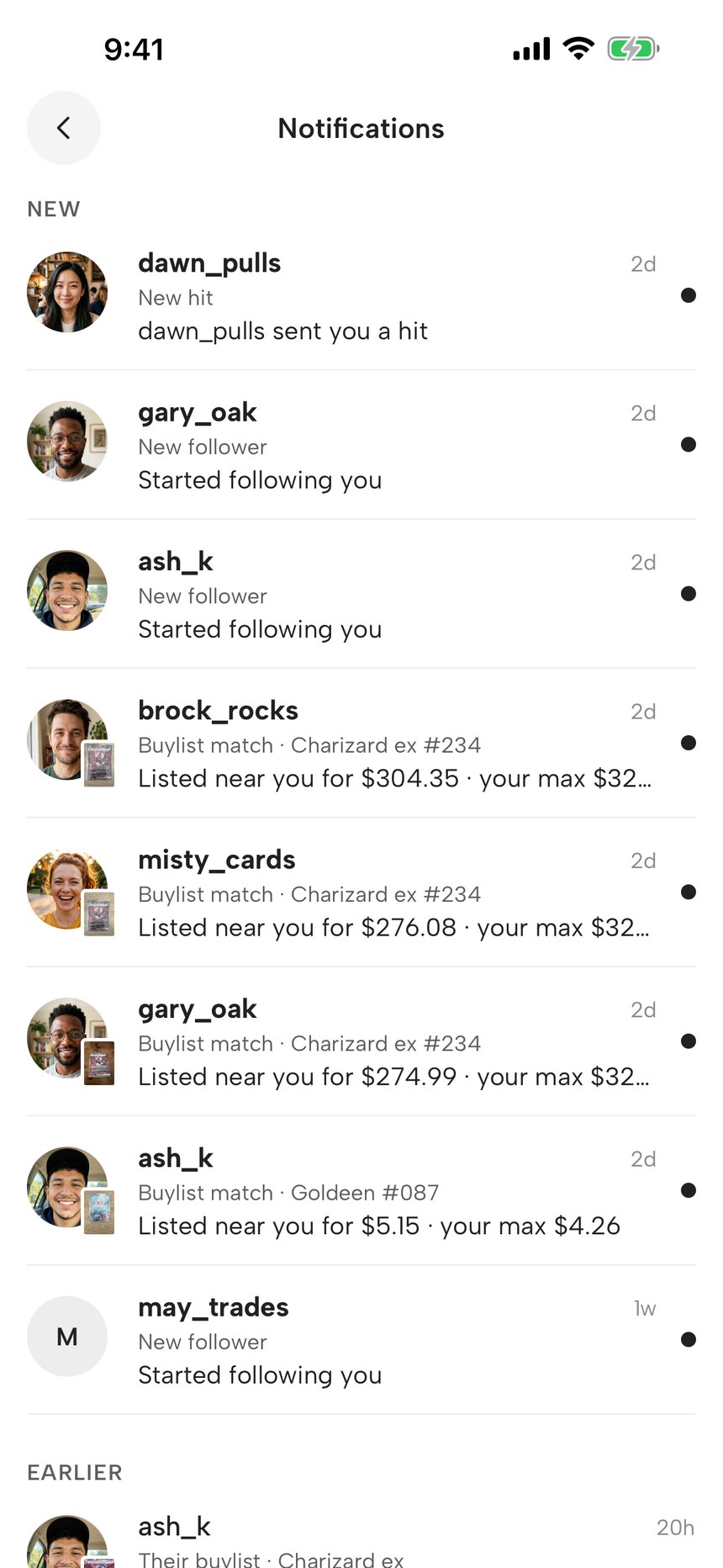
A chase is a card you want. The moment a collector near you lists one, you get a notification with the price and how far away it is. Your buylist is the same idea with a price on it: sellers can send a card straight to you.
- Alerts land in your Notifications; iPhone asks for permission once.
- Matches show up in the Inbox under their own chip, with a count.
- Tapping a match opens the listing. If it was taken down, it says so.
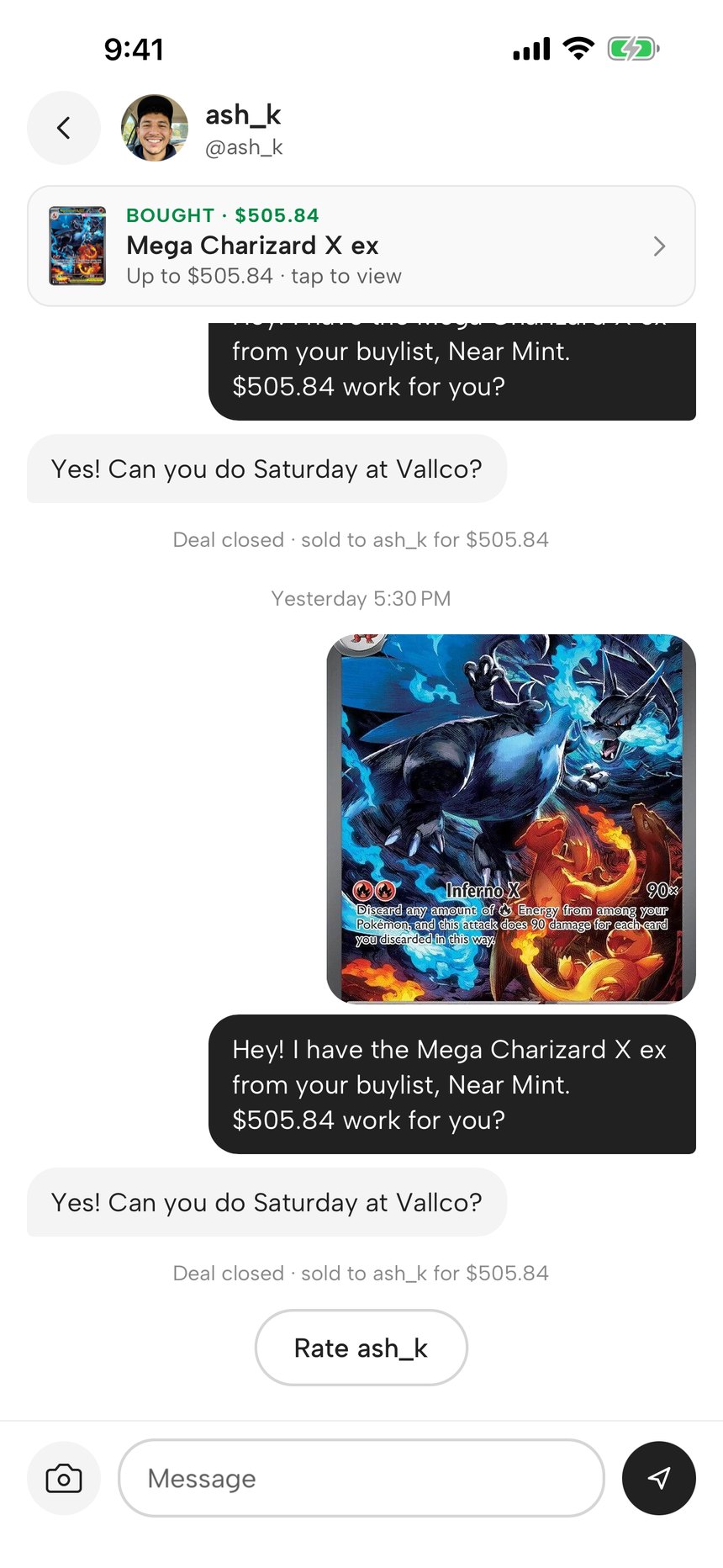
One chat per deal. An offer is a message.
Every conversation about buying or selling lives here, one thread per listing and person. There is no accept or decline button and no deal page. You talk, you agree a price, you meet. When it's done, Mark as sold sits above the message box.
- Chips for Selling, Buying, Matches and Offers Requested.
- Each row shows the card tucked into the corner of the person's photo.
- Sales and purchases are private and show on your Dash.
- Report a listing or a person from its menu. Only you see the report.
Send a hit. Friends hold to reveal it.
Pulled something good? Share it from the scanner. Your friends get the card face down. They hold it, it turns, and the market value lands underneath. You see who has opened it, live.
- Send to all friends, a group, or a few people. Add up to 4 photos.
- Friends are the people you follow who follow you back.
- Groups are private shortcuts for who gets a reveal. Members never see them.
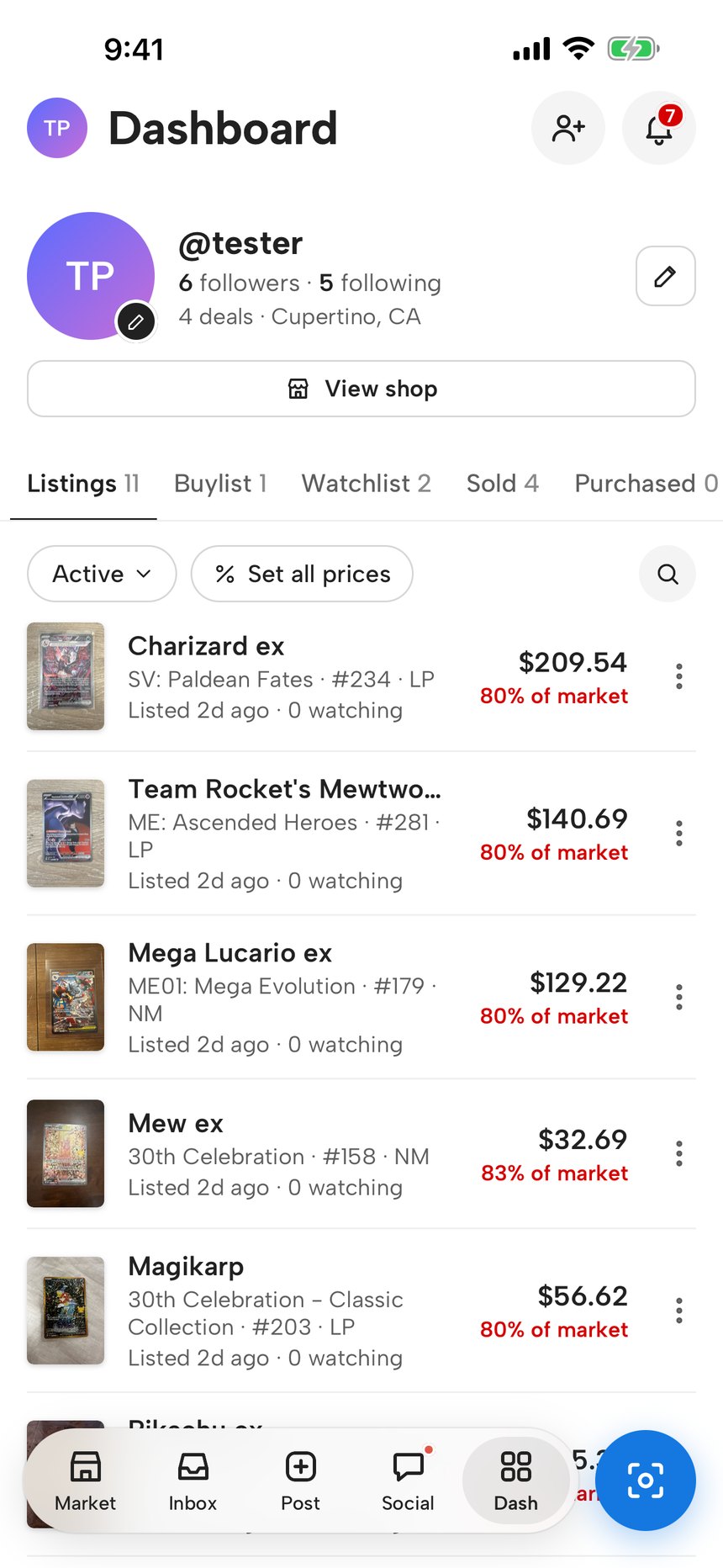
You, and everything you're selling, buying and watching.
Your profile, your notifications, and five tabs with a count on each: Listings, Buylist, Chases, Sold and Purchased. Every listing shows its price as a percent of market, red under 100, green at or over.
- Set all prices: one percent of market for every listing at once.
- Archive a listing and relist it later from the same menu.
- Switches for every kind of notification, including Friends & hits.
That’s the whole app.
No fees, no shipping, nothing to pay inside it.
Get the app